Native iOS app

Kintoun
Cloudflare iOS app for iPhone.
Your native Cloudflare dashboard on iOS. Browse DNS records, check traffic analytics, and inspect security events across your Cloudflare accounts.
Free to download · Native iOS · No tracking

01 / Features
DNS, analytics,
and security events.
View account and zone data fetched directly from Cloudflare’s APIs.
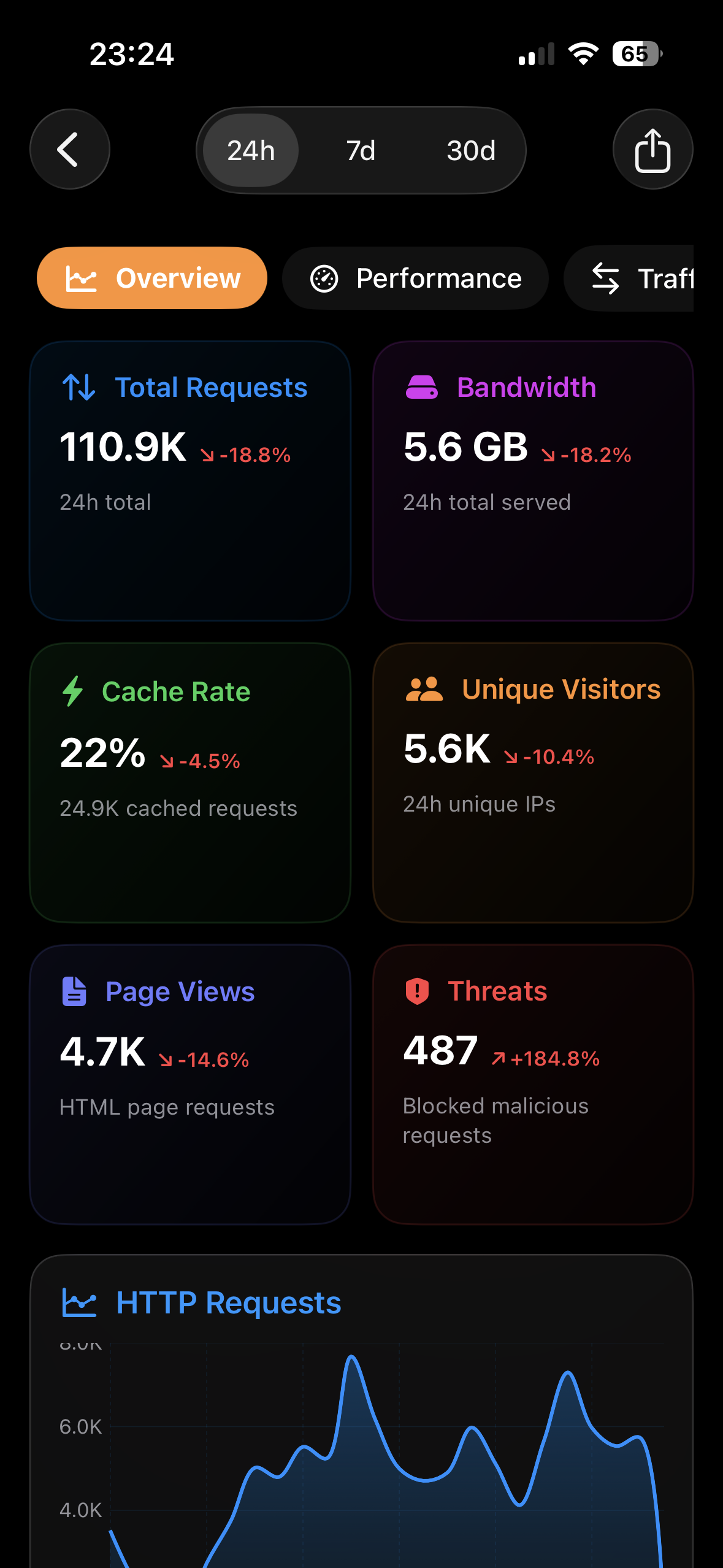
Traffic analytics
Requests, bandwidth, and cache performance. Powered by Cloudflare’s GraphQL API.
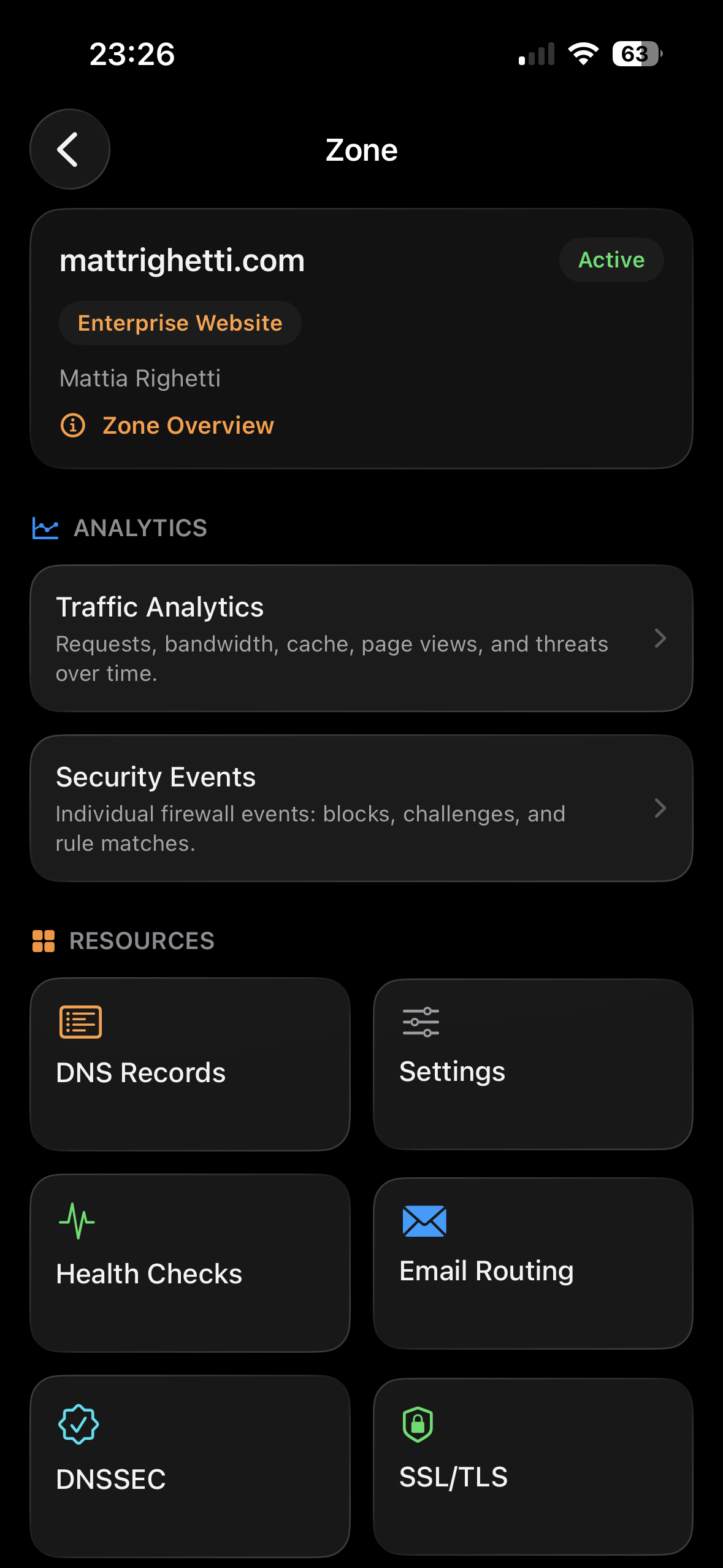
Zone overview
Inspect DNS records and explore your services across accounts and domains.
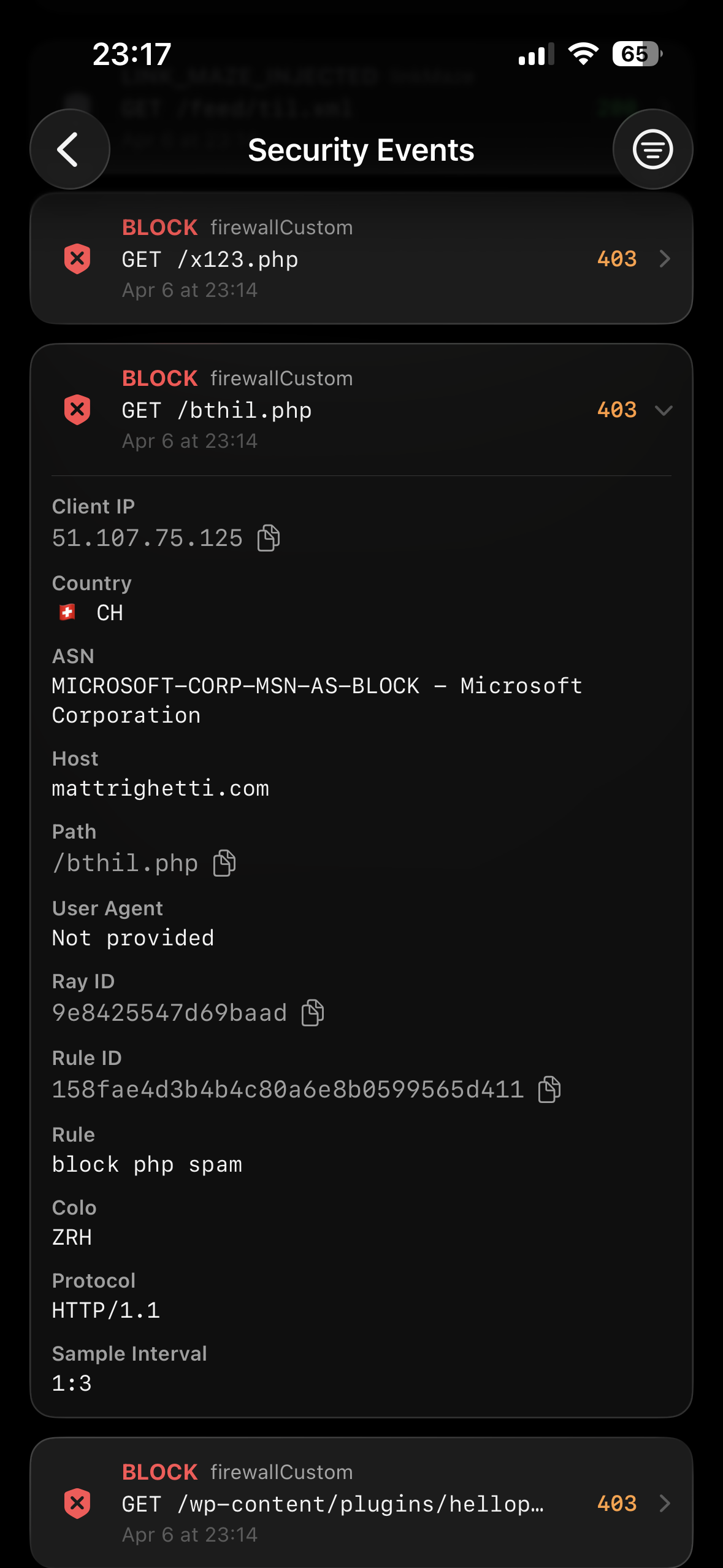
Security events
View firewall actions, IP addresses, countries, and rule details.
More screenshots


02 / Privacy
No data collection.
Kintoun talks directly to Cloudflare’s APIs. Your token stays in iOS Keychain. Your infrastructure data never touches our servers.
Read the privacy policy- connection
- direct to Cloudflare
- credentials
- iOS Keychain
- data collection
- none
- tracking
- none
03 / Setup
Connect your Cloudflare account.
- 01
Add your API token.
Connect your Cloudflare account. Your token is stored securely in iOS Keychain.
- 02
Browse your accounts.
Browse your accounts, zones, Workers, Tunnels, and services in one place.
- 03
Check your data.
View traffic analytics, DNS records, and security events from your iPhone.
Guide / Cloudflare on iOS
Your first Cloudflare check on iPhone.
Connect your account, inspect DNS records, review traffic analytics, and investigate security events. Follow the guide with screenshots from Kintoun.
How to view your Cloudflare dashboard on iPhone04 / Questions
Cloudflare on your iPhone.
What is Kintoun?
Kintoun is a native iOS app for viewing your Cloudflare accounts and infrastructure from your iPhone. Check DNS records, traffic analytics, firewall events, Workers, and Tunnels in one dashboard.
Can I view Cloudflare DNS records on iOS?
Yes. Connect your account with a Cloudflare API token, choose a zone, and browse its DNS records. You can also inspect traffic analytics and security events for your domains.
How do I connect my Cloudflare account?
Download Kintoun from the App Store and add your Cloudflare API token. Kintoun fetches data directly from Cloudflare’s APIs and stores your token in iOS Keychain.
Is Kintoun free to download?
Yes. Kintoun is free to download from the App Store. You need a Cloudflare account and API token to view your infrastructure.